
Open Preflight
- In the builder, scroll to Review & submit.
- The Preflight card shows how many things are still to fix, for example “2 things still to fix”, or “Everything checks out. You’ll confirm the release date next.” when you’re ready.
- Click the card to see the list.
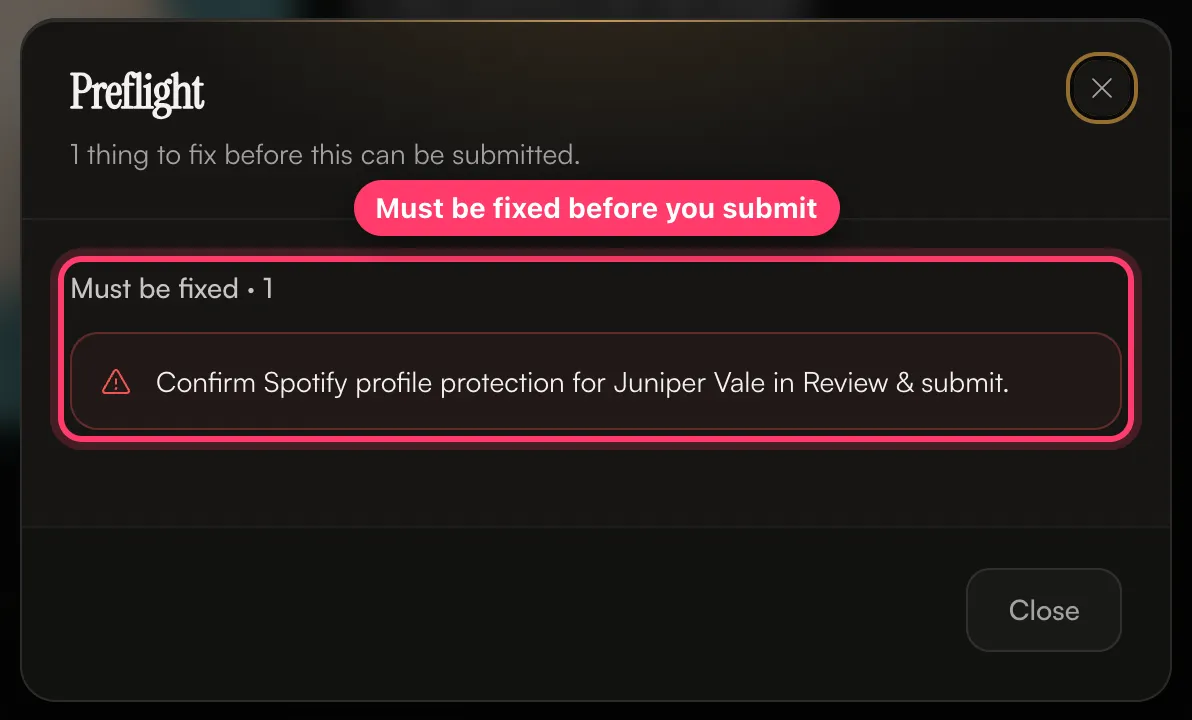 The list has two parts:
- Must be fixed: these block submission.
- Worth a look: warnings. You can submit with these, but check them.
How to fix each check
Release details
Tracks
Spotify profile protection
The first time we deliver to an artist’s Spotify profile, Review & submit asks: Does this profile have Artist Profile Protection turned on? Preflight shows “Confirm Spotify profile protection for … in Review & submit.” until you answer.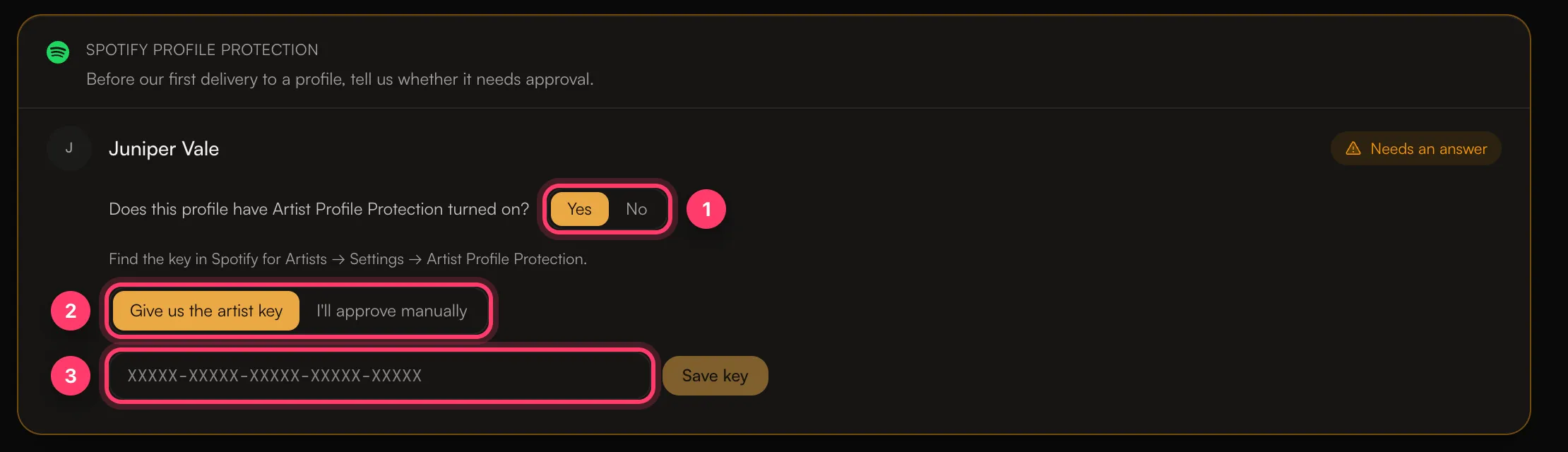
- No: click No, then Confirm protection is off.
- Yes: choose one:
- Give us the artist key: paste the key from Spotify for Artists → Settings → Artist Profile Protection and click Save key. It looks like
XXXXX-XXXXX-XXXXX-XXXXX-XXXXX. - I’ll approve manually: you’ll approve the release in Spotify for Artists yourself. Until you do, it may be delayed or not appear on the profile.
- Give us the artist key: paste the key from Spotify for Artists → Settings → Artist Profile Protection and click Save key. It looks like
Submit
When everything passes, click Submit for review. A final step opens:- Release date: choose On a specific date and pick a day, or As soon as possible. With As soon as possible, the release date is set to the day we approve the release.
- Summary: check the title, artists, tracks, release date, stores and Content ID & social media choice.
- How it’s delivered: says when the release goes live. With a specific date, it goes live at midnight local time in each region.
- Warnings: anything worth checking. These don’t stop the release from being submitted.
- Click Confirm and submit.