We pay royalties automatically in scheduled payout runs. You’re included once three things are true: you have a payout method, your tax form is approved, and your balance is at least $50. There’s no withdrawal button and nothing to request.

The Getting paid checklist

The Getting paid checklist at the top of the Money page shows exactly where you are: “Complete these steps once. After that, payouts happen automatically.” The Getting paid checklist with Add a payout method, Tax form and Get paid steps
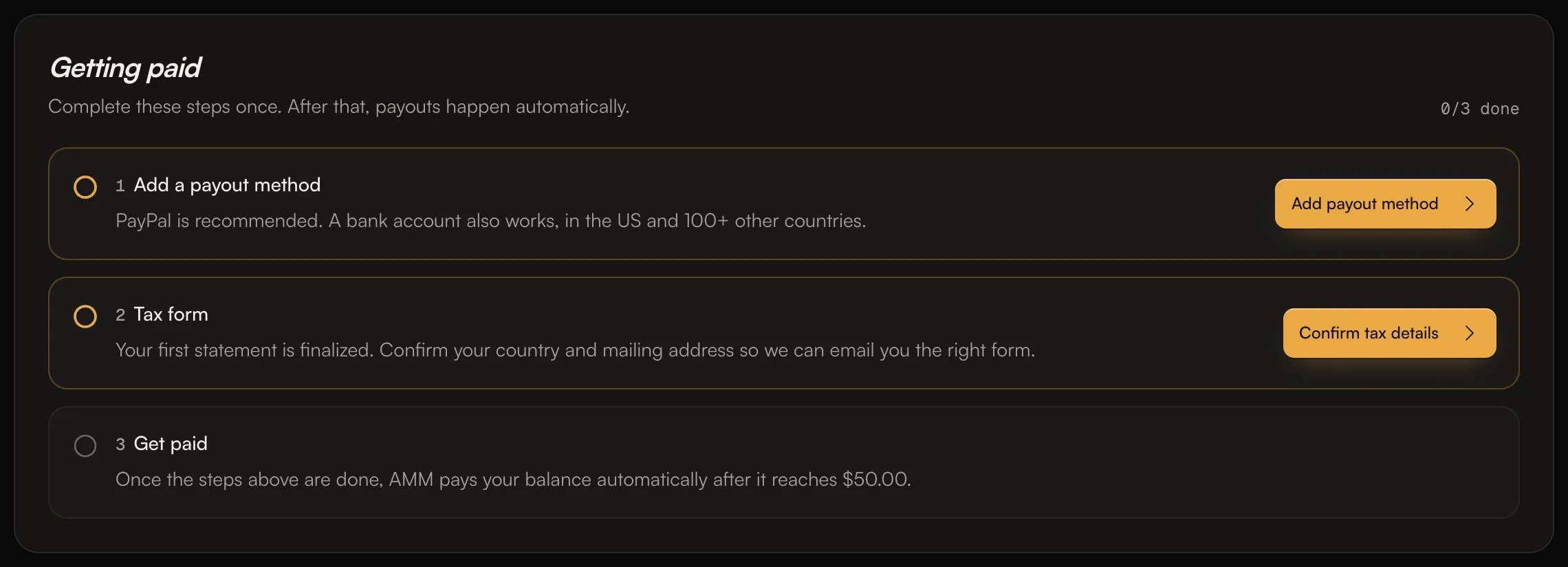
  1. Payout method: add PayPal or a bank account. See Set up payouts.
  2. Tax form: after your first royalty statement is finalized, we email you a link to a W-9 (US) or W-8BEN (outside the US). Complete it. See Tax forms: W-9 and W-8BEN.
  3. Get paid: once the steps above are done, we pay your balance automatically after it reaches $50.

What the last step means

How long a payout takes to arrive

  • PayPal: payouts are sent to your PayPal email by PayPal.
  • Bank account: bank payouts can take 2 to 3 weeks longer to arrive than PayPal.
Every payout appears in Recent transactions on the Money page.

Common questions

Can I withdraw my balance now?

No. Payouts happen only in scheduled runs, and there’s nothing to request. Make sure your checklist shows Ready for the next payout.

My balance is under $50.

It stays in your account and carries over. Once later statements bring it to $50 or more, it’s included in the next payout.

Why was my payout smaller than my balance?

A small processing fee is taken from each payout. If you’re outside the US, tax may also be withheld. See Payout fees and Tax withholding for artists outside the US.

I don’t see my latest earnings in my balance yet.

Earnings are added when the monthly statement is published, usually a month or two after the streams. See How earnings work. Related: Set up payouts · Tax forms: W-9 and W-8BEN · Payout fees · How earnings work