
Set the date
- Open your release in the builder.
- Click the Release date field.
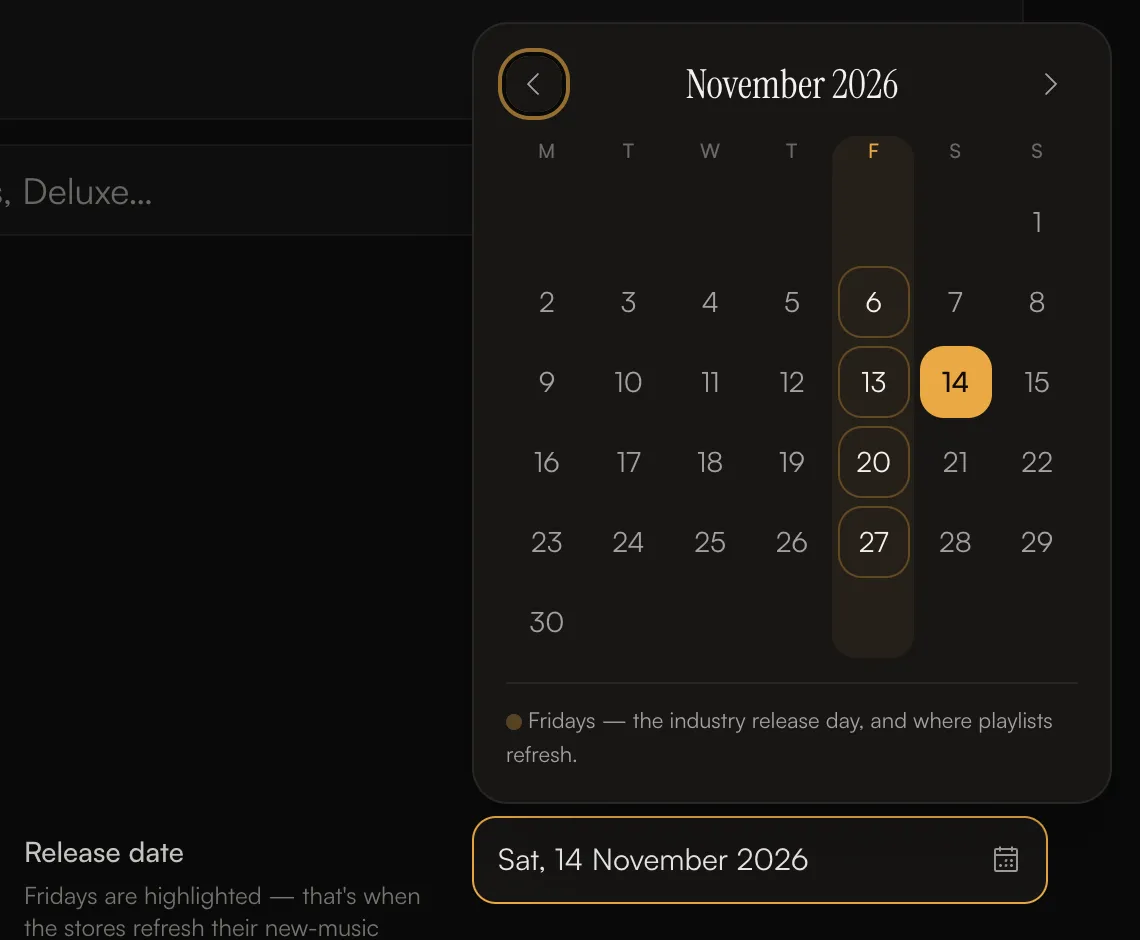
- Pick a day in the calendar. Fridays are marked in the F column.
 The copyright year on your © and ℗ lines is taken from the release date.
The builder tells you what a date means:
- Today or tomorrow: review and delivery usually take a day or two, so the release may reach stores after this date.
- 10 days out or less: a date more than 10 days out gives more time for playlist pitching.
- A date that has passed: the release will be backdated. Stores list it with this date, but it only goes live after we approve it.
- More than a year away, or an earlier year: check the year is right.
Release as soon as possible
Click Release as soon as possible next to the date (or choose As soon as possible when you submit). The release date is then set to the day we approve the release, and it goes live at midnight local time in each region. If the release came out before, it goes back in stores the day it’s approved and stores keep showing the original release date. When you click Submit for review, you confirm the date one more time: On a specific date or As soon as possible.How far ahead should I submit?
There’s no minimum lead time in the builder, but your release has to be reviewed and delivered before the date. Plan for:- Review: usually 1–2 business days.
- Changes: if we ask for changes, you’ll need time to make them and resubmit.
- Delivery: most stores pick up a release within the hour once it’s delivered. Spotify can take up to 24 hours, and some stores take several business days.